-
E-mail
673420760@qq.com
-
Phone
15810926112
-
Address
No. 6, South Xisanhuan Road, Fengtai District, Beijing
Simoro (Beijing) Intelligent Technology Co., Ltd
Common faults and solutions of facial recognition access control system
Date: 2025-11-07Read: 44
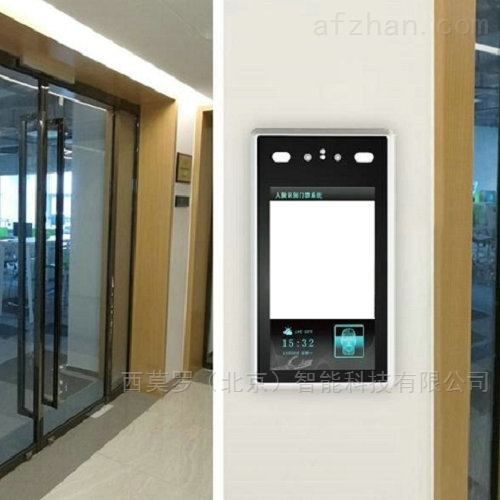
Facial recognition access control, also known as facial recognition access control, is prone to three types of malfunctions in daily use: recognition, door opening, and equipment connection. Most of these issues can be self diagnosed and resolved without the need for professional personnel. The following are high-frequency problems and their solutions:
1. Recognition failure or slow recognition
Reason: Excessive or backlit light, dark light; The lens has dust; The difference between facial recognition and input information is significant; Equipment angle offset.
Solution: Adjust the terminal position to avoid direct sunlight or backlight, and wipe the lens with a dry cloth; Remove the obstruction and try again. If the makeup changes significantly, re-enter the face; Fine tune the terminal angle (keeping it level with the face or slightly lower).
2. Frequent misidentification (unauthorized personnel opening doors)
Reason: The recognition threshold is set too low; When entering faces, the background may be cluttered or multiple people may appear in the camera.
Solution: Enter the management backend and increase the "recognition threshold" (the higher the value, the stricter the recognition); Delete the incorrectly entered facial information and collect it separately (preferably with a single background).

2、 Door opening function malfunction
1. Facial recognition successful, but the door doesn't open
Reason: The access lock is out of power; Loose/reversed wiring between equipment and lock, malfunction of exit button.
Solution: Check if the power cord of the lock is securely plugged in and replace it with a backup power supply for testing; After power failure, unplug and reconnect the wires (confirm "COM, NO" according to the instruction manual).
2. The door cannot automatically close after opening
Reason: Loose or damaged door closer; The door body and door frame are stuck due to friction.
Solution: Tighten the fixing screws of the door closer and adjust the door closing speed knob; Clean the foreign objects between the door frame and the door body. If the door closer leaks oil or malfunctions, it needs to be replaced with a new one.
3、 Equipment connection fault
1. The device cannot connect to the internet
Reason: Loose/damaged network cable; Weak WiFi signal or incorrect password; The router is disconnected from the network.
Solution: Re plug and unplug the network cable, check if the crystal head is intact; Approach the router to enhance the signal and verify the WiFi password (pay attention to capitalization); Restart the router and test if the phone is connected to the internet normally.
2. Facial recognition access control terminal black screen/repeated restarts
Reason: Damaged power adapter, unstable voltage, poor internal circuit contact of the device.
Solution: Replace the power adapter with the same specification (usually 12V/2A); Use a multimeter to measure the voltage, and if there is significant fluctuation, install a voltage regulator; If the problem persists, contact the after-sales service for equipment hardware maintenance.
Precautions for using facial recognition access control
1. Regularly clean the lens and screen with a dry cloth to avoid dust accumulation affecting recognition
2. It is recommended to disconnect the power supply of the equipment during thunderstorms to prevent damage from lightning strikes
3. If it involves hardware failures such as motherboards, chips, etc., do not disassemble them by yourself and contact after-sales service for timely handling