-
E-mail
2880635307@qq.com
-
Phone
18860995252
-
Address
ASEAN Industrial Park, Nanzha Town, Jiangyin, Jiangsu
Product Categories
- AMC series programmable electrical measuring instruments
- ADL rail type multifunctional electric energy meter
- ARTU series three remote units
- ALP intelligent low-voltage line protection device
- ACR series network power meter
- ARTM Electrical Contact Online Temperature Measurement Device
- ARD intelligent motor protector
- ARD shaking power restart controller
- Intelligent BA series current sensor
- APM series network power meter
Jiangsu Ankerui Electric Appliance Manufacturing Co., Ltd
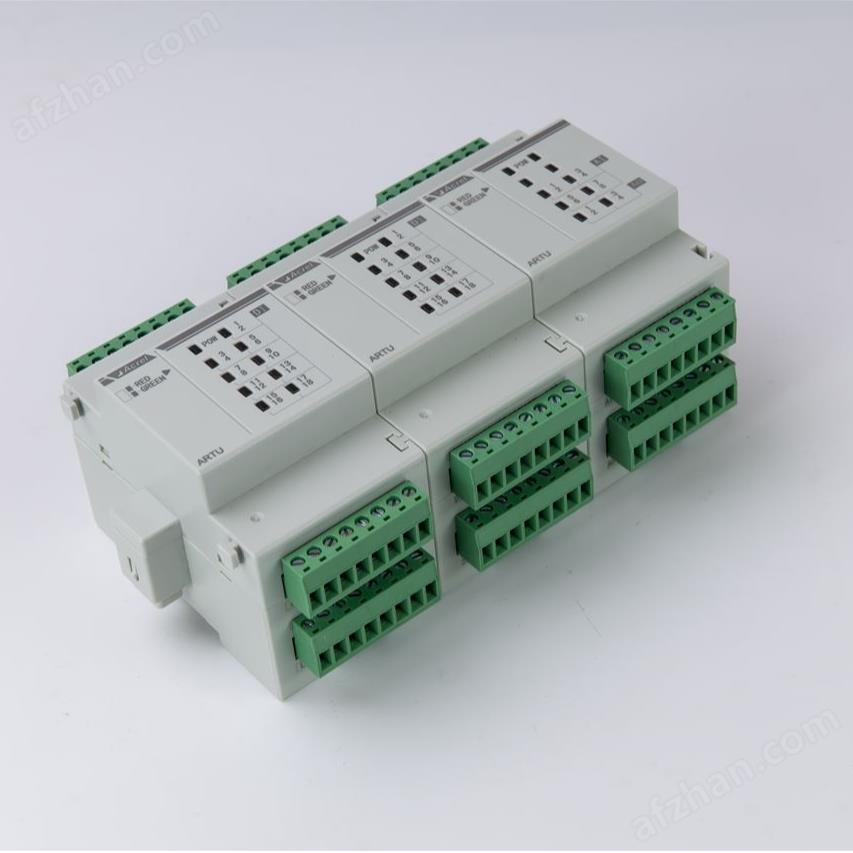


Ankerui ARTU series remote terminal unit
NegotiableUpdate on 01/08
- Model
- Nature of the Manufacturer
- Producers
- Product Category
- Place of Origin
Overview
The Ankerui ARTU series remote terminal unit is a high-performance intelligent component for power distribution, applied in fields such as intelligent power distribution and industrial automation. The ARTU100 series remote terminal unit provides switch input, switch output, analog input, and analog output. It can transmit the collected signals to the background through RS485 serial port, RJ45 Ethernet interface, 2G, Lora, 4G wireless communication.
Product Details
1. Model Description

Note: When selecting modulesMPOW power module is required.
2. Technical parameters
Subject:
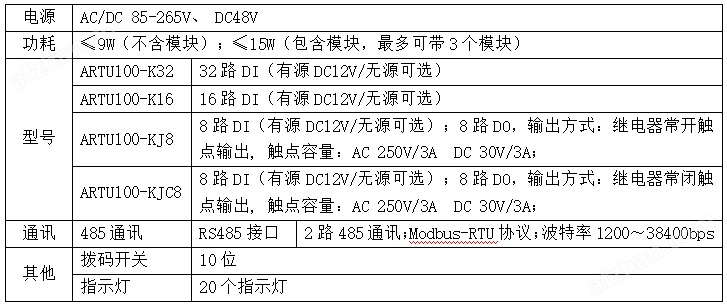
Optional features:

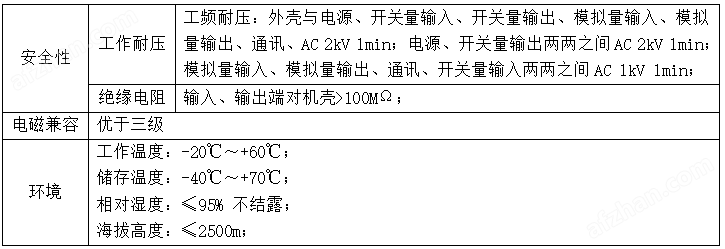
Other technical parameters:
3. External dimensions

Note: The length of the main body is90mm, The module length is 54mm, and the power module length is 54mm.
4. Installation method
Adopting a dual installation method of guide rail and wall mounted.
5. Debugging and maintenance
5.1 Instructions for use
1)Before powering on, first check if the power cord is properly connected.
2)After power on, the power indicator light(POWER is illuminated, and the RUN light starts flashing with a 1-second interval.
3)Establishment of Communication
a)Correctly connectedRS485 bus and connected to the upper computer.
b)The upper computer issues commands according to the protocol format based on the station number and baud rate of the module. At this time, the communication indicator light of the module flashes, indicating that the module has received the command from the upper computer and responded, that is, communication has been established.
5.2 Debugging
1)Check if the power supply is connected correctly before powering on.
2)After powering on, observe if the power light is on. If it is not on, it indicates that the power is not connected.
3)Observe if the running light is flashing. If it is not flashing, it indicates that the module is not running properly.
4)Only when the communication indicator light flashes, it indicates that communication has been established.
5)Set the query time interval for the upper computer. Due to the half duplex mode of the bus, the upper computer should set an appropriate time interval, which should be determined by the length of the module's response command and the baud rate. Improper setting of the time interval can lead to communication failure.
Similar Product Recommend