-
E-mail
441955402@qq.com
-
Phone
13175671188
-
Address
Room 910, 9th Floor, Building 2, No. 64 Tiancheng Road, Shangcheng District, Hangzhou City, Zhejiang Province
Product Categories
Hangzhou Hangrui Electric Power Automation Co., Ltd


Nanjing NARI RCS9611CS relay protection device
NegotiableUpdate on 01/08
- Model
- Nature of the Manufacturer
- Producers
- Product Category
- Place of Origin
Overview
After entering the "Remote Signal Selection Test Menu" for the Nanjing Nanrui RCS9611CS relay protection device $r $n, the user presses the "▲" or "▼" keys to browse and view. The cursor $r $n stops at the line of the remote signal point that needs to be tested, and the "OK" key is pressed to perform the remote signal selection test. After the test is completed, the user can click "Cancel" to exit the menu or continue selecting other remote signal points for the test.
Product Details
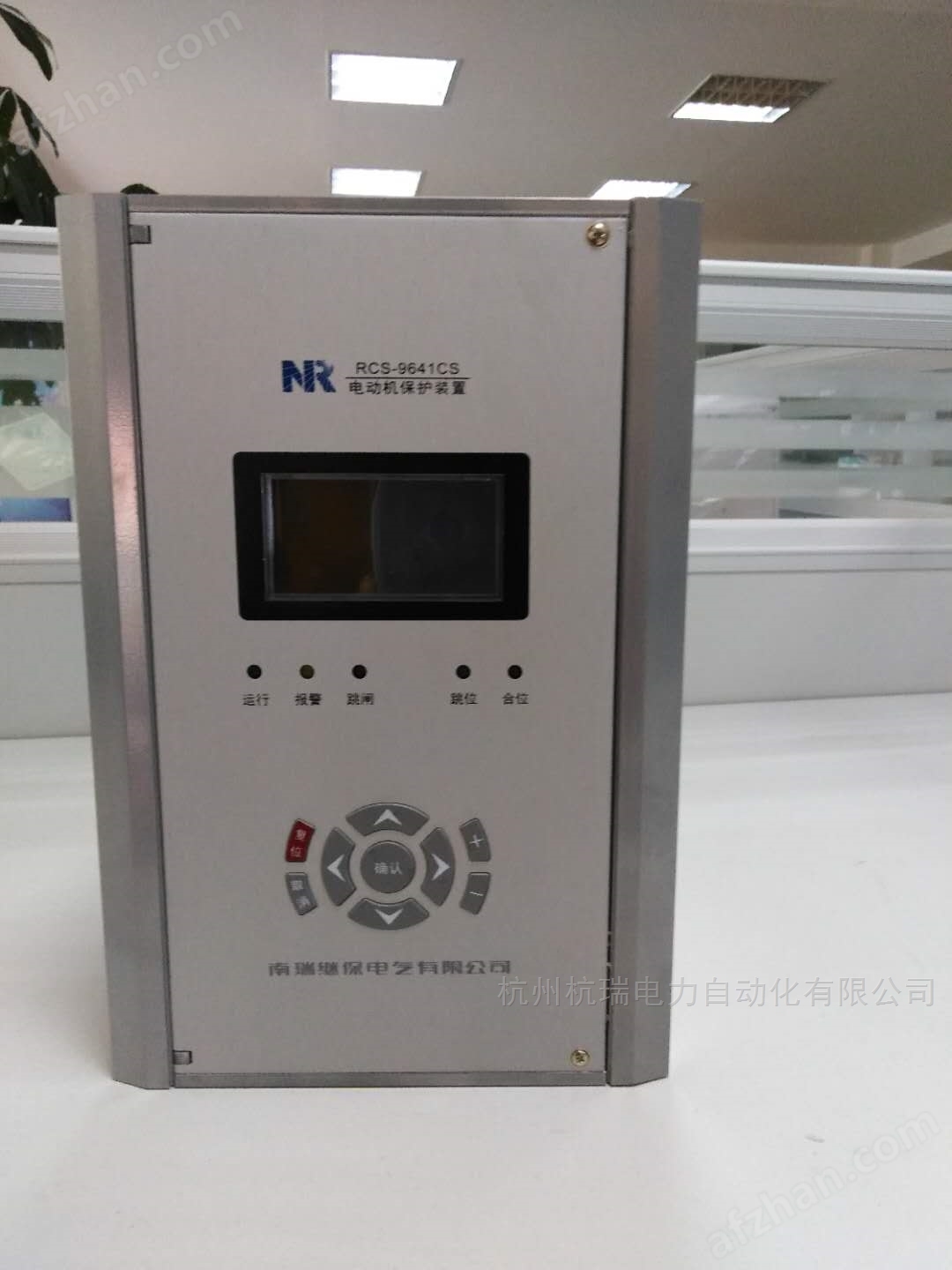
Nanjing NARI RCS9611CS relay protection device
Function Description of RCS-9000CS Series Device Menu
This device does not provide a separate reset button. Pressing the 'confirm' button on the main screen can achieve the reset function.
In the main screen state, press the '▲' key to enter the main menu, and use '▲', '▼', 'Confirm', and
Press the 'Cancel' button to select the submenu.
6.1 Device tuning
The buttons' ▲ 'and' ▼ 'are used to scroll and select the fixed value to be modified, while the buttons' ◄' and '►' are used to move the cursor
Move to the location to be modified, '+' and '-' are used to modify data, press' Cancel 'to abandon the modification and return, press
The 'confirm' button completes the set value setting and returns.
Note: No password is required to view the fixed value. If you want to modify the fixed value, you need to enter a password. If the password is incorrect, there will be a prompt message.
6.2 Status Display
This menu is mainly used to display the real-time sampling values and switch status of the current and voltage of the protection device, which comprehensively reflects the
The operating status of the device. Only when the displayed values of these quantities are consistent with the actual operating conditions, can the protection work correctly. suggestion
Check these quantities during operation.
6.3 Report Printing
This menu is mainly used to select printing content, including parameters, settings, trip reports, operation reports, and self checks
Printing of reports, remote signaling reports, status, and waveforms.
The report printing function can facilitate users to verify fixed values, view device status, and analyze accidents.
In the event of an accident, it is recommended that users properly preserve the original information on site, including the device's settings, parameters, and all reports
Print and save for post analysis and responsibility definition.
Nanjing NARI RCS9611CS relay protection device
6.4 Time Setting
Display the current date and time.
The buttons' ▲ ',' ▼ ',' ◄ ', and' ► 'are used to select and modify objects, while'+'and' - 'are used for editing
Change. Pressing 'Cancel' means abandoning the modification and returning, while 'Confirm' means executing the modification and returning.
6.5 Report Display
This menu displays trip report, operation report, remote signaling report, operation report, and self-test report. This device is capable of dropping
The electric hold function can remember the latest 64 reports (256 remote signaling reports) regardless of power failure.
The display format is the same as "6.2 LCD Display Description". The latest report is displayed first, and pressing the '▲' button will show it
A report, press the '▼' button to display the next report, press the 'Cancel' button to exit the previous menu.
6.6 Report Clearing
Select the notebook menu, enter the correct password, and implement the report clearing function.
Attention: Please do not use this function indiscriminately. Before the device is put into operation, this function can be used to clear the reports generated by the transmission test
Tell me. If the system malfunctions after the device is put into operation, the device activates the outlet, or if there is an abnormal situation with the device, it is recommended to first
Properly store the report information of the device (the information held within the device and the information in the monitoring background can be printed or copied)
Record and then clear it.
6.7 Device Testing
The auxiliary debugging function is used for manufacturer production debugging or on-site inspection of communication and export circuits, which can reduce the workload of debugging
Shorten debugging time. The test content includes remote signaling point-to-point, remote telemetry setting, and outlet transmission, all of which come with a password
Protect and record these operations for post analysis.
This function can generate export, remote signal displacement messages, and telemetry data, and should be used with caution.
1) Remote signaling point-to-point function
This function is mainly used for generating virtual remote signals locally, and communication jumping can be carried out without the need for protection testing. Remote signaling point-to-point test
There are two ways to verify: "Remote signaling sequence test menu" and "Remote signaling point selection test menu". The former adopts automatic mode in sequence
Point selection, the latter adopts manual point selection method. Both can generate action components, alarm information, protective pressure plates, and remote signaling switches
Waiting for the displacement reports of all remote signaling points, the generated reports are both kept on site and uploaded. The specific operation method is as follows:
After entering the "Remote Signaling Sequence Test Menu", the device's remote signaling status automatically displays the remote signaling quantity items on the LCD interface
The sequence changes from top to bottom, and a corresponding remote signaling change report will be generated. After the remote signaling automatic point-to-point function is completed,
Automatically exit the remote signaling test menu.
After entering the "Remote Communication Point Selection Test Menu", the user presses the "▲" or "▼" keys to browse and view the cursor
Stop at the line where the remote signaling point needs to be tested, press the "OK" button to conduct a remote signaling point selection test. After the test is completed, the user can
Press' Cancel 'to exit the menu or continue selecting another remote signaling point for the experiment.
Similar Product Recommend